Design clinical encounter forms that perfectly match how your practice works. Build templates with the fields, sections, and logic your staff actually needs, and publish them to clinicians instantly. All data stored in FHIR.
Request a Demo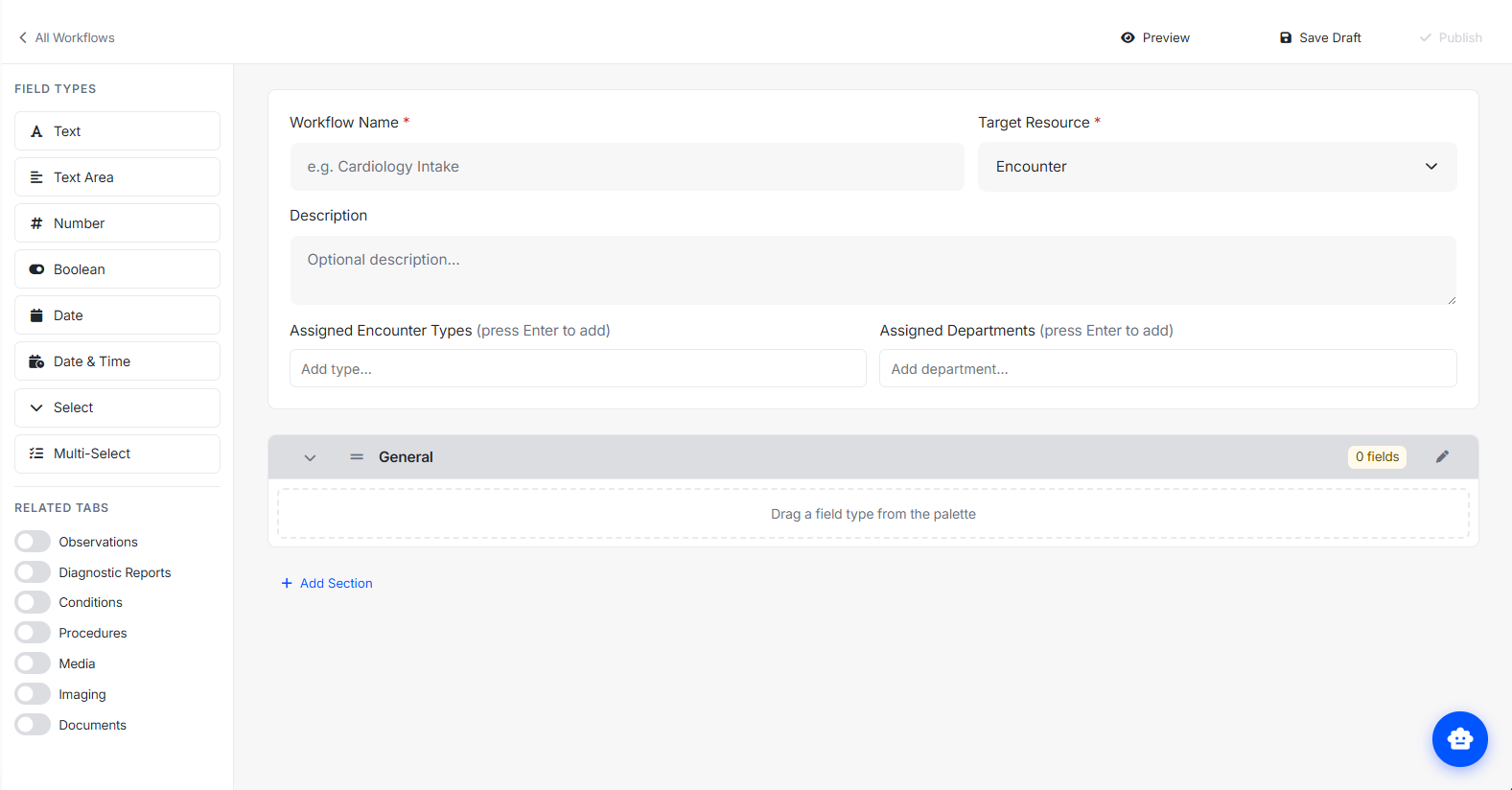
Custom Workflows gives organization administrators complete control over clinical encounter forms, without writing a single line of code.
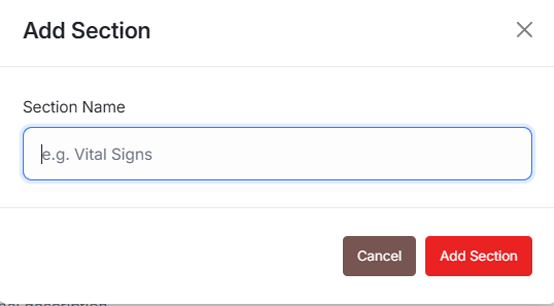
Use the drag-and-drop builder to create encounter form templates. Add sections to organize related fields, then drag field types from the palette directly onto the canvas.
Give each field a label, key, help text, and type. Mark fields as required, set conditional visibility rules, and define options for dropdowns. Every detail is yours to control.
When your template is ready, publish it with one click. Clinicians see the updated form immediately in every encounter tied to that workflow, no deployments, no tickets.
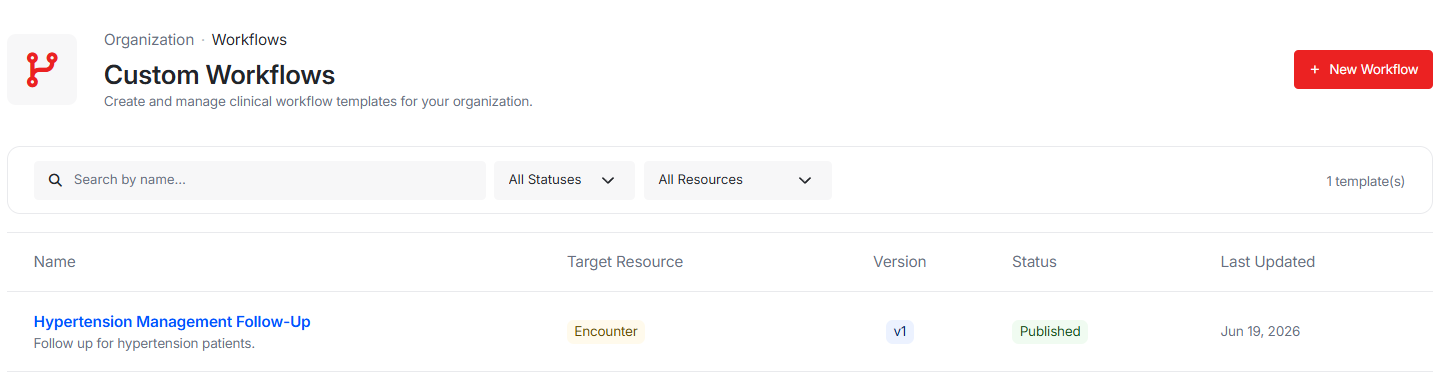
The Workflow Library gives administrators a filterable view of every template in the organization. Filter by status (Draft, Published, Inactive), target resource, or search by name. Publish drafts, deactivate live templates, or duplicate any template to use as a starting point for a new one, all without leaving the list view.
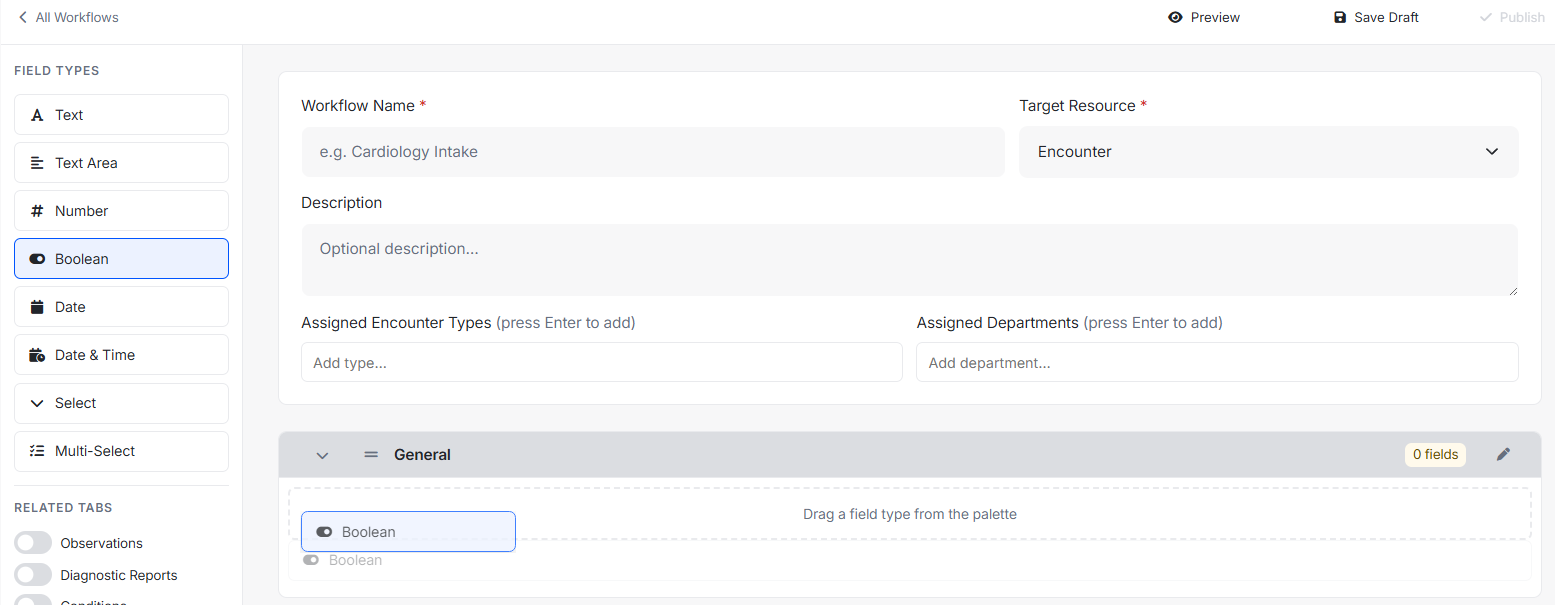
The two-panel builder gives you a palette of field types on the left and a live canvas on the right. Click any field type to add it to the active section, or drag it to a specific position. Reorder fields and entire sections by dragging. The canvas updates instantly, what you see is exactly what clinicians will see.
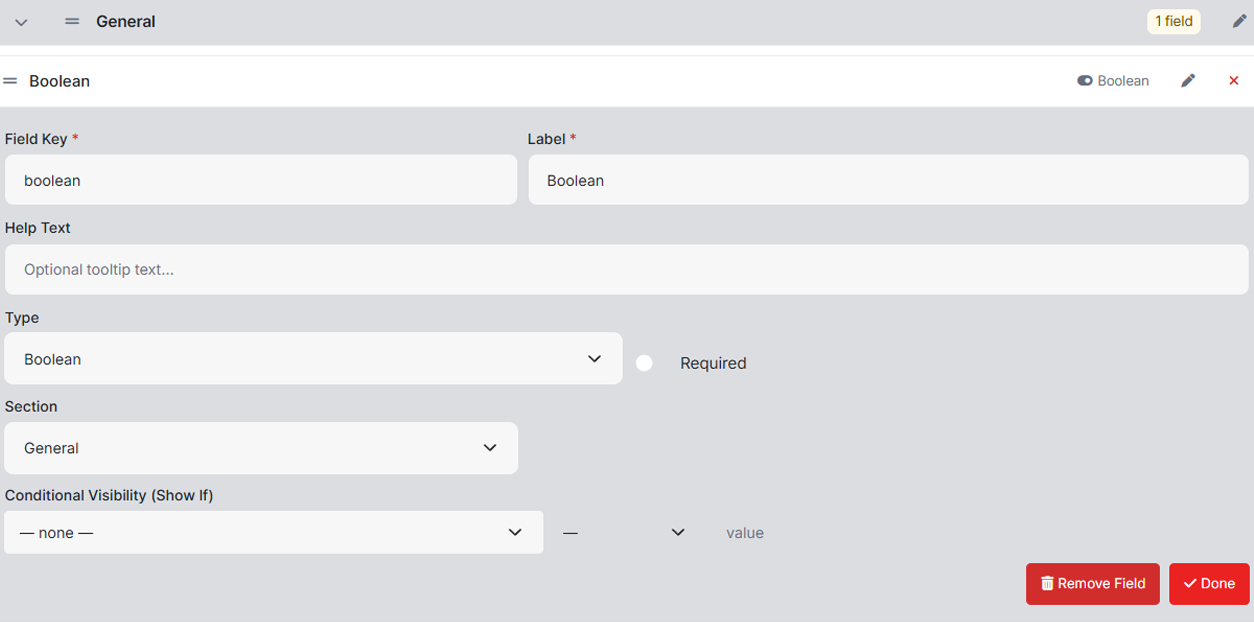
Click any field to expand its properties panel inline. Set the field key and label, add help text that appears as a tooltip for clinicians, choose from nine field types, mark it required, and assign it to a section. For dropdowns and multi-selects, build out the option list directly in the panel. No popups, no modals, everything stays in context.
Group related fields under named sections Vitals, Chief Complaint, Assessment, Plan, or anything else your workflow demands. Add as many sections as you need, rename them inline, reorder them by dragging the section header, and move fields between sections at any time. A clear, well-organized form means faster, more accurate documentation.
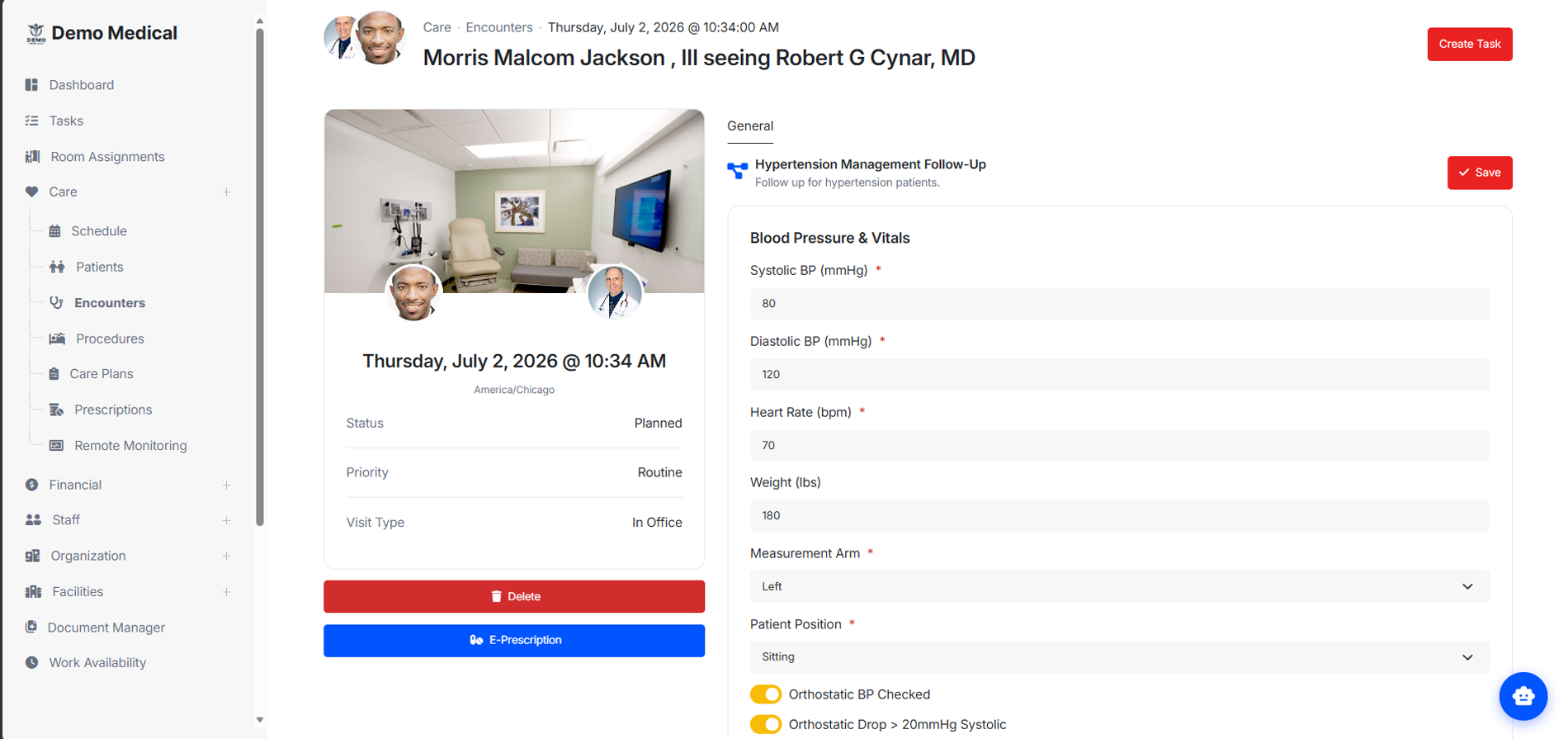
Published workflows appear directly inside the encounter, no page reloads, no navigation away from the patient. Clinicians fill in the fields your organization defined, and the data is captured in structured form attached to the encounter record. Conditional fields show or hide automatically based on what the clinician enters, keeping the form clean and focused.
From free text to structured FHIR references, every field type your clinical team needs is ready to use.
Single-line free text for short clinical notes, identifiers, or names.
Multi-line text for longer narratives, assessments, and descriptions.
Numeric entry for measurements, scores, quantities, and dosages.
Yes/No toggle for binary clinical flags and confirmation checkboxes.
Date picker for onset dates, procedure dates, and follow-up scheduling.
Precise date and time entry for time-sensitive clinical documentation.
Single-choice dropdown built from your own option list, no coding required.
Multiple-choice selection for symptoms, diagnoses, or any list where more than one answer applies.
Structured reference to a FHIR resource, enabling interoperable clinical data linking.
Fields can be shown or hidden based on what a clinician enters in another field. Build smart forms that stay clean and only surface what's relevant.
Editing a published template creates a new numbered draft automatically. The live form is never disrupted, clinicians keep working while the new version is being built.
Tie a workflow to specific encounter types or departments so the right form appears automatically, without any manual selection by the clinician.
One click publishes a workflow to every clinician in the organization. No releases, no IT tickets, no waiting. Changes go live the moment you decide they're ready.
The builder saves your draft in the background every 60 seconds so work is never lost, even if you navigate away or close the tab unexpectedly.
Test your form in a full-screen preview before it reaches clinicians. Interact with every field and verify conditional rules work exactly as intended.