A complete task management workspace built right into Dyvine EHR®, so clinical, administrative, and follow-up work never falls through the cracks.
Request a Demo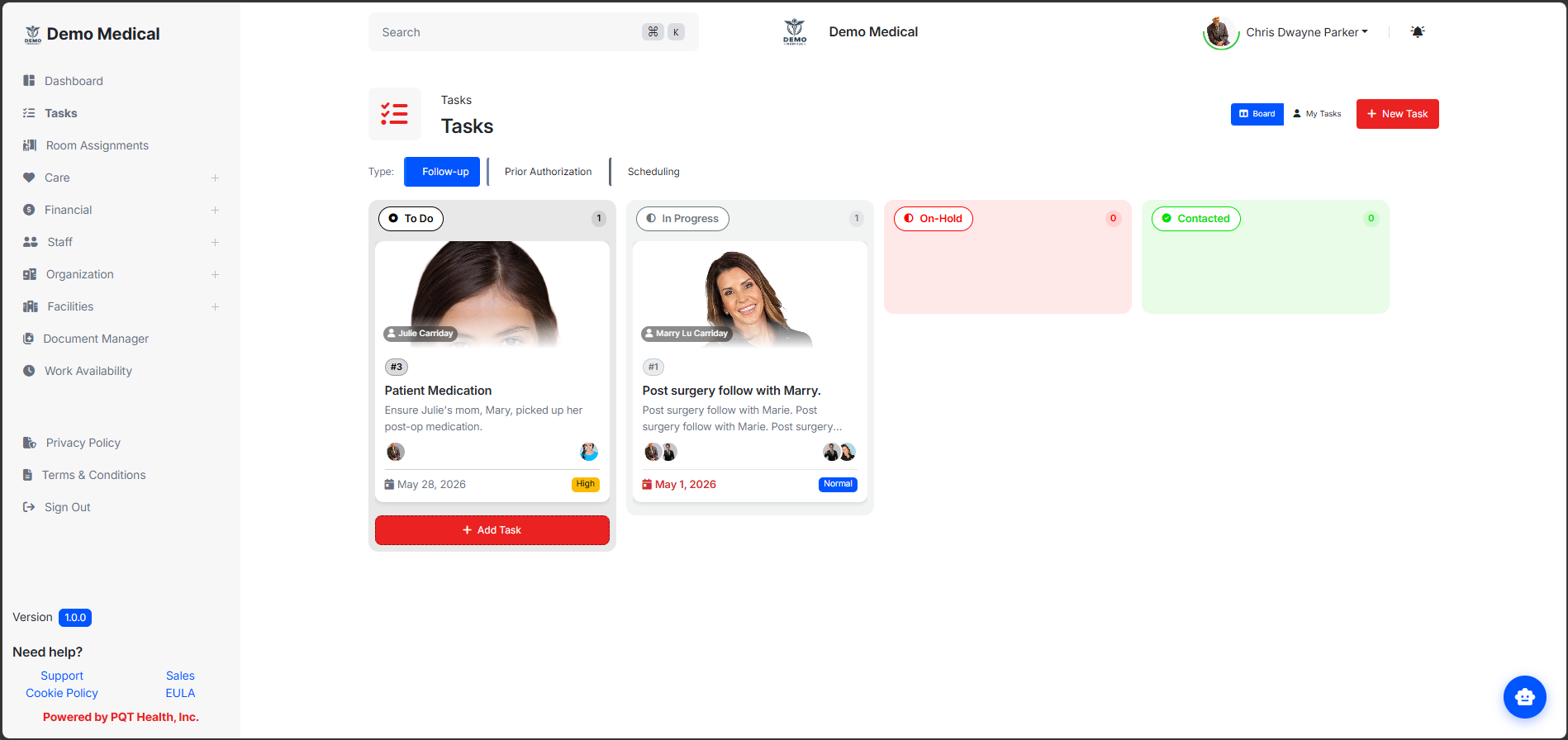
Whether you're triaging the team's queue, focusing on what's on your plate today, or auditing the entire backlog, Task Management gives you a purpose-built view for each.
Drag-and-drop tasks across status columns with real-time transitions. Visualize the entire team's pipeline at a glance and move work forward without ever opening a task.
Your personal dashboard, automatically grouped into Overdue, Due This Week, and Other Active, so the most important work is always on top.
A filterable list view with pagination for cross-team reporting, audit trails, and surfacing tasks across any patient, encounter, or staff member.
Tasks are organized into status columns defined by your workflow, drag and drop them between statuses to update progress instantly. Every card surfaces the title, priority, due date, and assignee avatars at a glance, with a patient photo banner whenever a patient is linked. Right-click any card for quick actions without leaving the board.
Color-coded task numbers and priority badges (Urgent / High / Normal / Low) make priority instantly readable. Assignee avatar stacks include an overflow indicator, and due dates highlight automatically when overdue, based on your local timezone, not the server's. One click opens the full task.
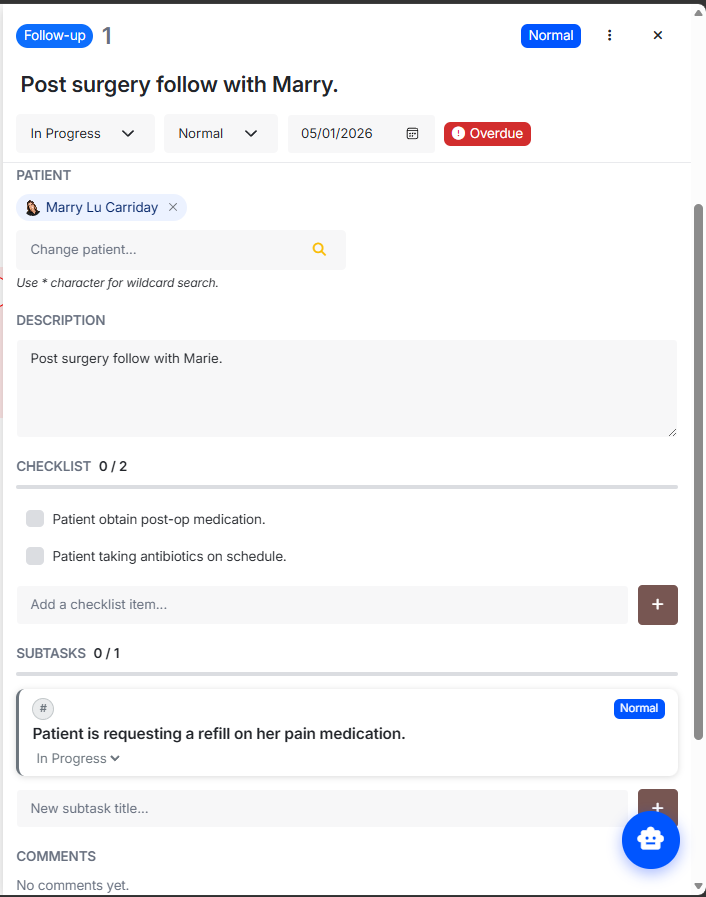
Edit titles inline. Change status, priority, and due dates right from the header. An overdue badge driven by client timezone eliminates false positives, and a blocked-by alert banner makes dependencies impossible to miss. Tabbed sections cover Assignees, Staff, Patient, Description, Custom Fields, Checklist, Subtasks, and Comments, all in one place.
Add items instantly, the first item auto-creates the list. Check items off with strikethrough feedback, watch the progress bar advance, and remove items with a confirmation safety net.
Full Kanban-style cards live inside the parent task. Change status inline without leaving the parent, click any subtask to open its own detail view, and jump back with a single tap. A progress bar tracks done / total at the parent level.
Threaded comments capture author, timestamp, and resolution state, with a badge to mark conversations resolved. Delete what you no longer need, keep everything else searchable.
Multi-assignee support with avatar chips means tasks aren't owned by a single bottleneck. Staff and patients are linked separately, wildcard staff search (*) finds the right teammate fast, and a single linked patient with photo display keeps clinical context attached to the work.
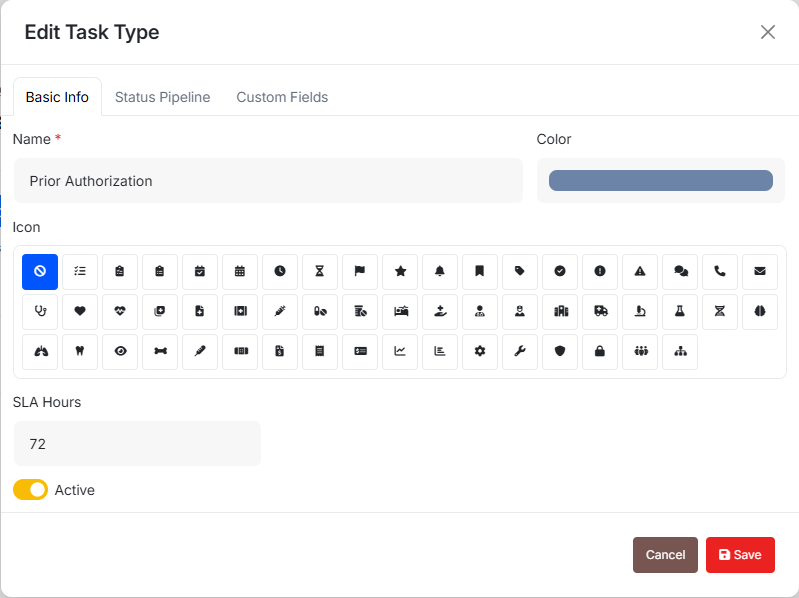
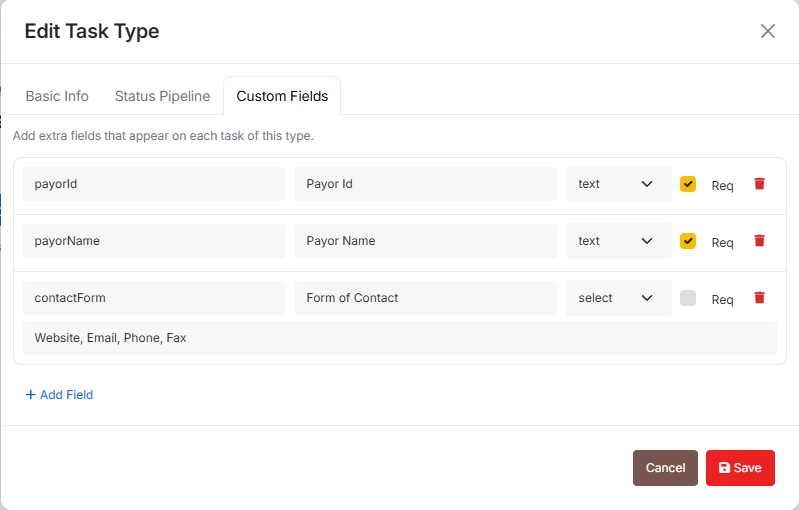
Define fields per task type, text, number, date, or select, so every workflow captures exactly the data your organization needs. Fields render dynamically based on the task type, no admin gymnastics required.
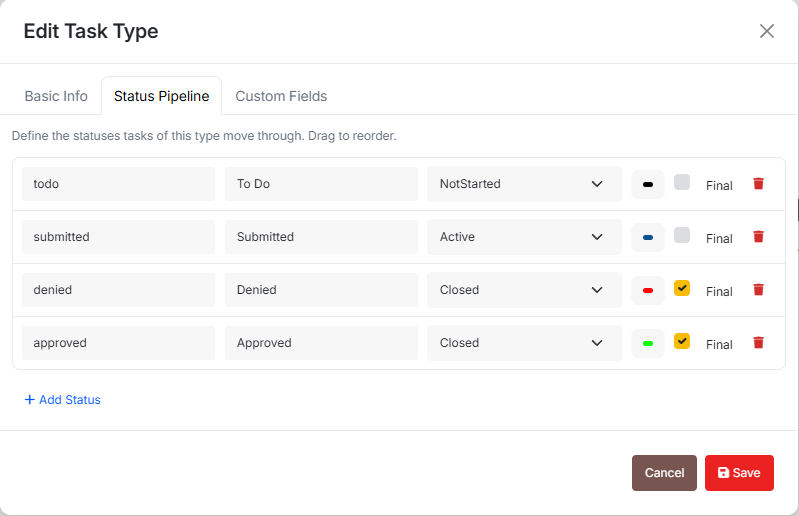
Configure the status columns and stages for each task type. Build a triage flow for clinical follow-ups, a separate pipeline for billing tasks, and another for facility operations, all with their own NotStarted, InProgress, and Completed steps.
A two-step modal: pick a task type, then fill in details. Custom fields render dynamically based on the task type. The "Assign myself" toggle is on by default, and you can search additional assignees right at creation time.
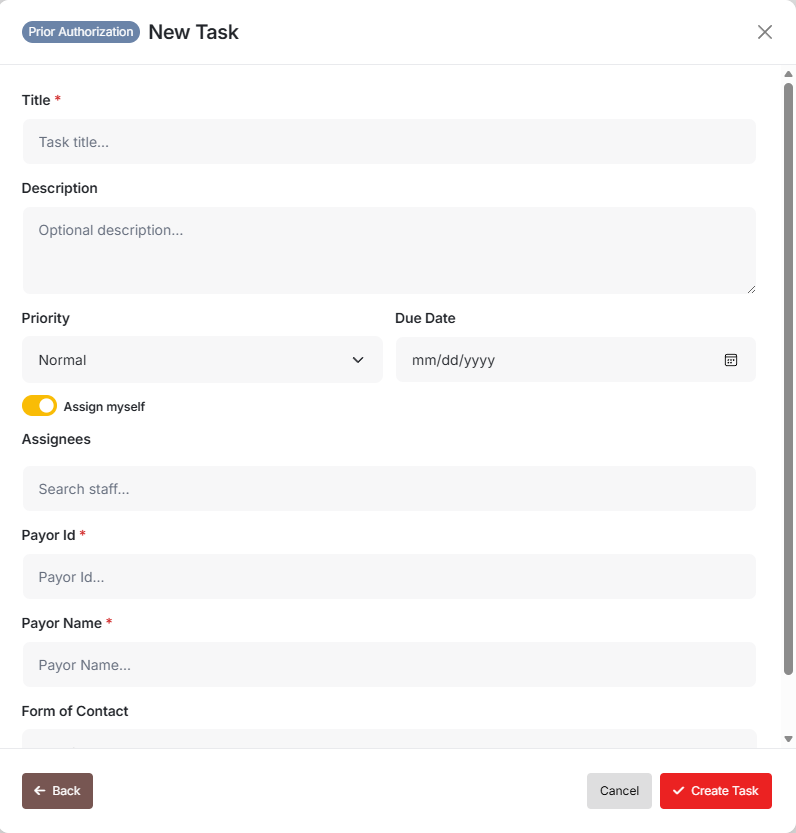
Open the create-task modal from any view, start with a blank slate, pick a type, and fill in the dynamically-rendered fields.
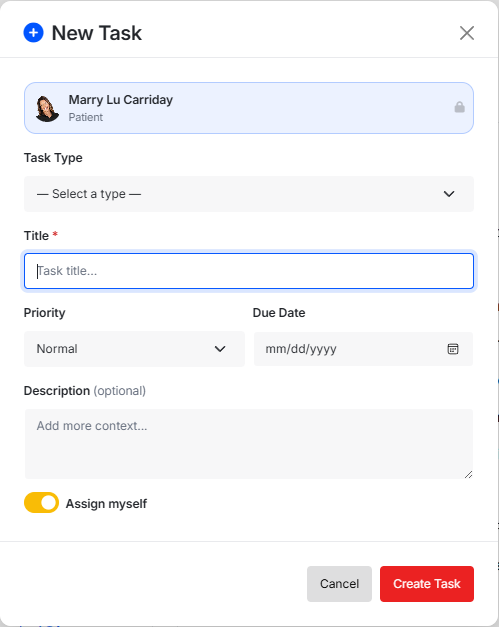
The Create Task button in the patient header pre-links the patient automatically, no copy-paste, no risk of attaching the wrong record.
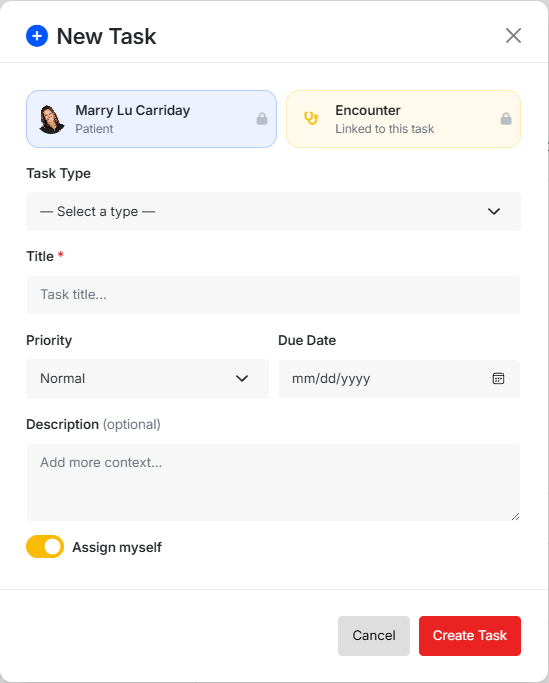
The Create Task button in the encounter header pre-links both the patient and the encounter, keeping clinical context locked to every follow-up.
New tasks default to Normal priority, bump it to High or Urgent only when the work demands it.
The first NotStarted step in your workflow is selected automatically, so new tasks land in the right column without an extra click.
Destructive actions, delete task, delete comment, remove checklist item, always prompt for confirmation. Mistakes get caught before they happen.
Overdue badges, due-date highlighting, and date filters all use the client's local timezone, no false alarms for early-morning or after-hours teams.